
Turn a script into a ready-to-post video in minutes.
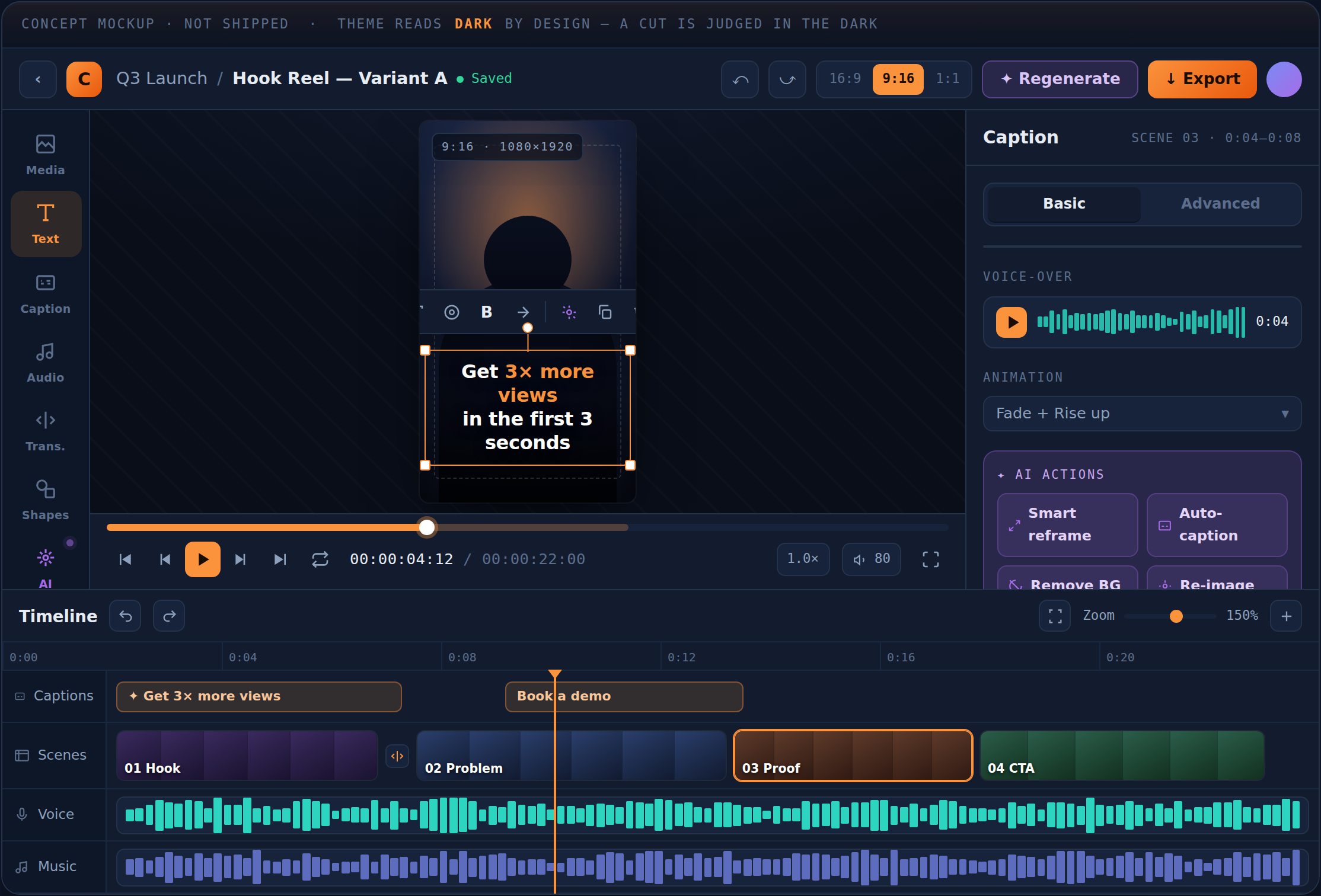
Paste your script. The agent splits it into scenes, generates the visuals and voice-over, and hands you an editable timeline — ready to export for long-form, Shorts, or faceless channels. No camera, no editor, no production day.
HOW IT WORKS
Three steps. One video.
Paste your script
Drop in your video script or voiceover text. No storyboard, no shot list, no B-roll hunting — just words.
The agent builds it
It splits the script into scenes, generates a visual for each, and narrates it in a voice you pick.
Tweak & export
Adjust any scene, set 16:9 for long-form or 9:16 for Shorts, then export a finished MP4 ready to upload.
FEATURES
Everything you need to ship a video — nothing you don't.
Script → scenes
Smart splitting turns paragraphs into perfectly paced scenes automatically.
AI voiceover
Five natural voices. Generate narration for every scene with one click.
Camera motion
Zoom, pan, and Ken Burns add life to still visuals — no editing skills required.
Long-form & Shorts
16:9 for your main channel, 9:16 for Shorts and Reels, 1:1 for feeds. Switch anytime.
Regenerate anything
Don't like a visual? Regenerate just that scene without touching the rest.
One-click MP4
Export a share-ready MP4 in up to 1080p. No watermark on paid plans.
Made with GetClipFox
Long-form, Shorts, and faceless videos — built from a script in minutes.
The Myth of the 10,000 Hours
Faceless · Story · 10 scenes
5 Habits That Quietly Build Wealth
Finance Short · 6 scenes
Why Rome Really Fell
History · Explainer · 12 scenes
PRICING
Script in. Clip out.
Start free. Upgrade when you need more.
Beta pricing: plans, prices, credit allowances and included features may change during the beta.
FAQ
Questions creators ask
What is GetClipFox?+
GetClipFox is an AI video generator for YouTube creators. You paste a script and the agent splits it into scenes, generates a visual for each, adds an AI voiceover, and gives you an editable timeline you can export as an MP4 — for long-form videos, Shorts, or faceless channels.
Do I need video editing skills?+
No. There is no timeline to learn from scratch, no footage to shoot, and no B-roll to source. You write or paste a script, pick a voice and aspect ratio, and the agent assembles the video. You can fine-tune any scene if you want, but you do not have to.
Can I make faceless YouTube videos?+
Yes. Faceless channels are the most common use case. The AI generates the visuals and narration, so you never appear on camera or record your own voice. It works well for story, finance, history, motivation, and explainer formats.
Can I make YouTube Shorts and TikToks?+
Yes. Switch the aspect ratio to 9:16 and the agent formats every scene vertically for Shorts, Reels, and TikTok. You can also export the same script in 16:9 for your main channel.
Is there a free plan?+
Yes. The Free plan includes 5 videos per month with 720p export and no credit card required. Paid plans add longer videos, 1080p and 4K export, more voices, and remove the watermark.
How long does it take to make a video?+
Most videos are generated in minutes rather than the hours a manual edit takes. Render time depends on length and the number of scenes, but a typical Short is ready in a few minutes.
Your next upload is one script away.
Paste a script and watch the agent turn it into a ready-to-post video.